netDocShare Schedular Job Installation

netDocShare Schedular Job Installation
- Save the netDocShare Sync - Job Scheduler.zip folder in the system
- Extract the Zip file
- Open the netDocShare Sync - Job Scheduler folder
- Select the NetDocShareSyncTool.exe.config file
- Open the NetDocShareSyncTool.exe.config file (Open as Notepad)
- Enter the License Key value and Save the NetDocShareSyncTool.exe.config file
- Open the Task Scheduler
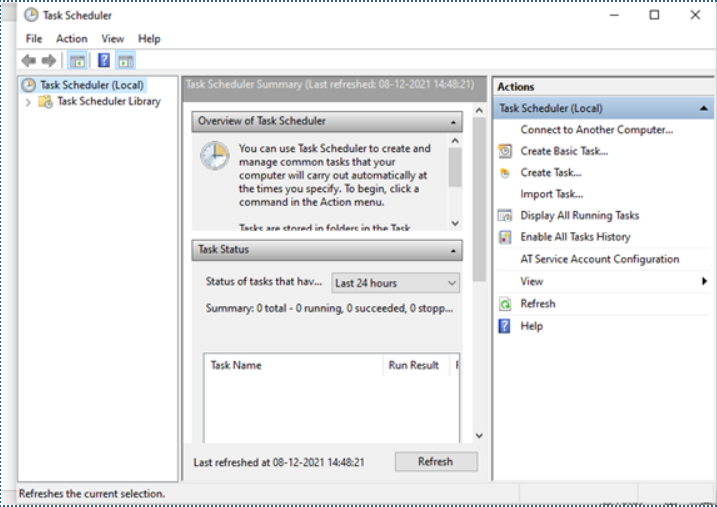
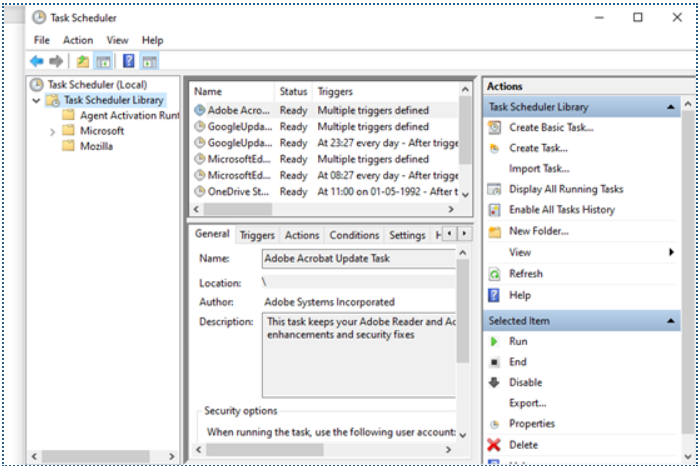
- Expand the Task Scheduler library
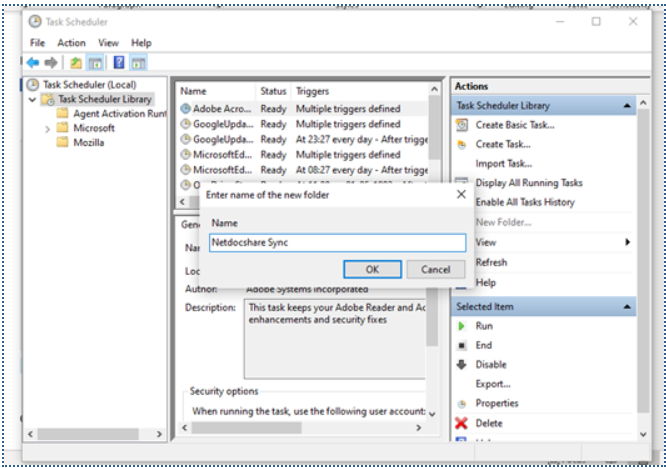
- Right Click on Task Scheduler library
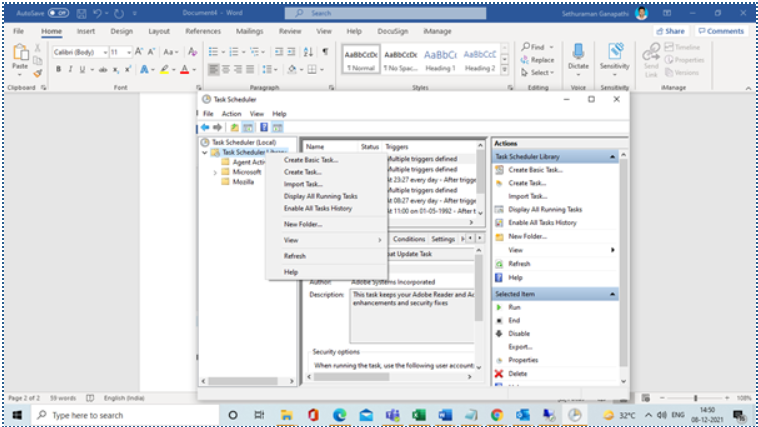
- Click “New Folder” (Entered the Folder name and Click Ok)
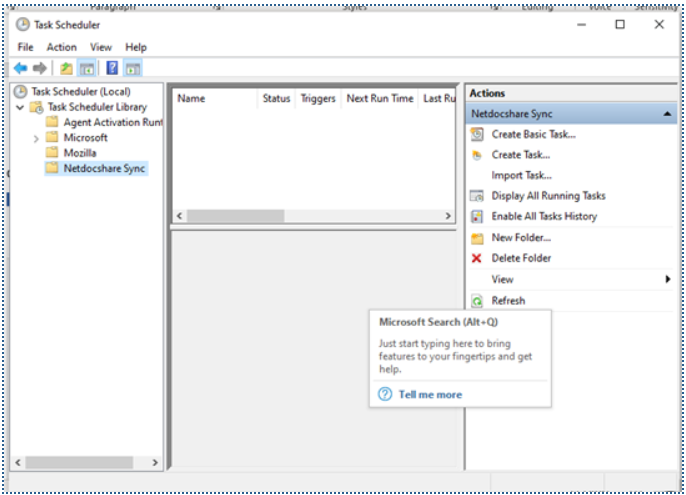
- New Folder created
- Right Click on newly Created Folder and Click “Create Task”
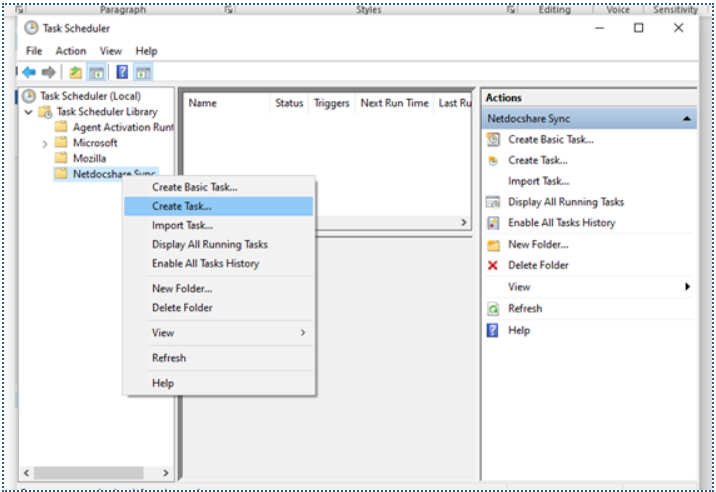
- Click Create Task
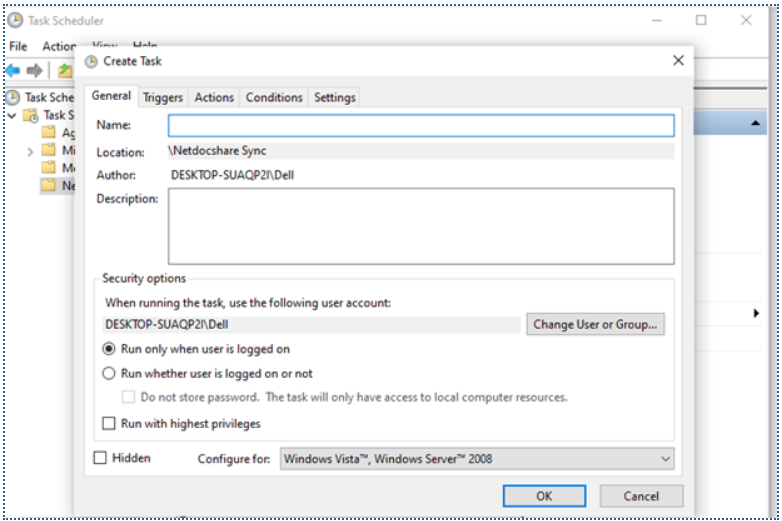
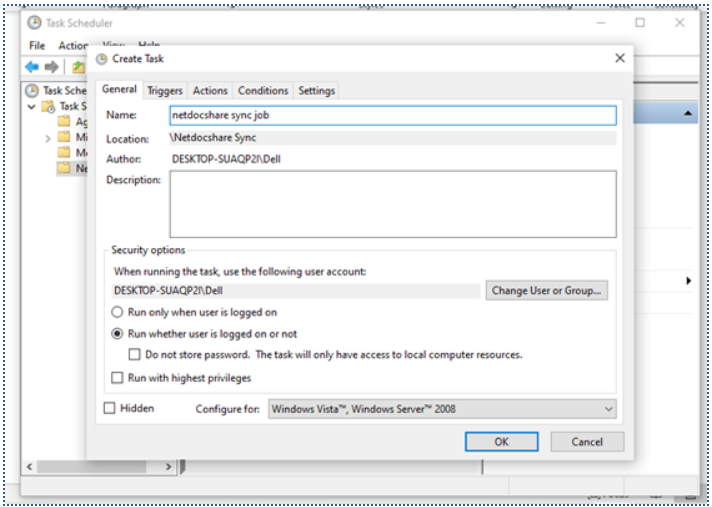
- Enter the Name and select the radio button option as “Run Whether user logged on or not”
- Click “Triggers” tab
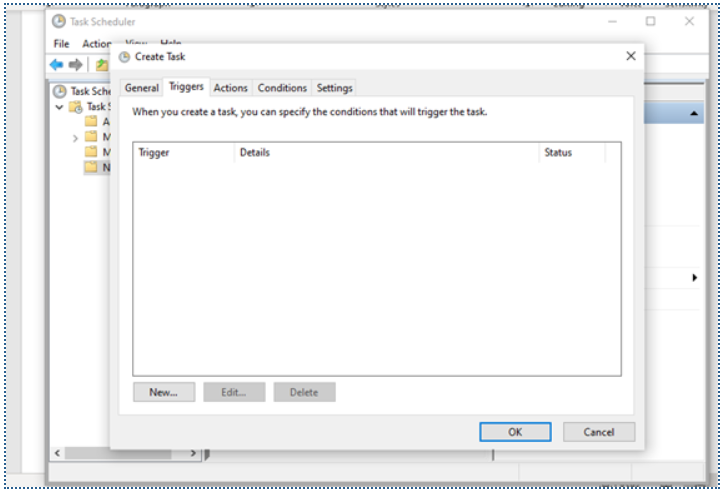
- Click New
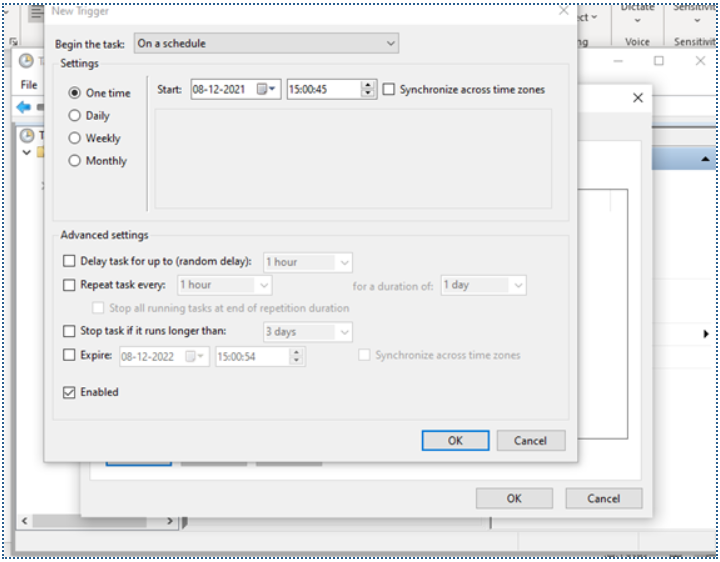
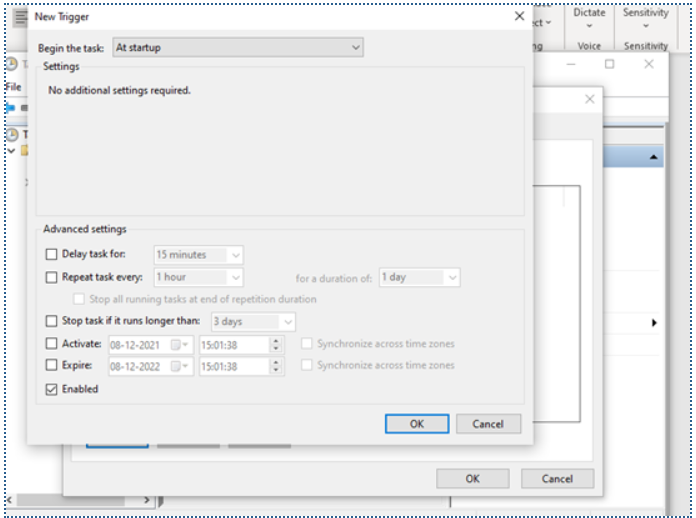
- Select “At Startup” options and click OK
- Click “Actions” Tab
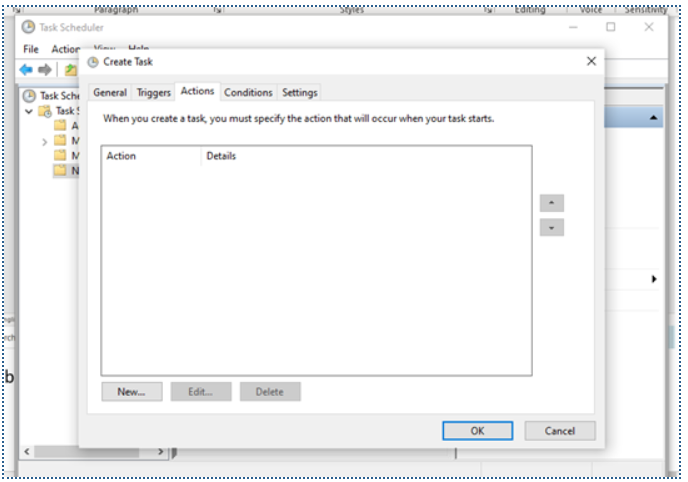
- Click New

- Click Browse button and select the netDocSharesynctool.exe (application) (on netDocShare Sync - Job Scheduler folder)
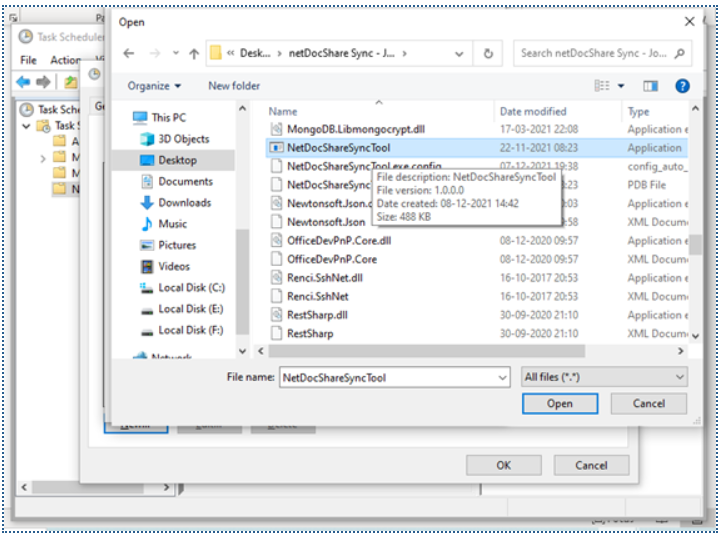
- Select the netDocSharesynctool.exe (application) and Click Ok
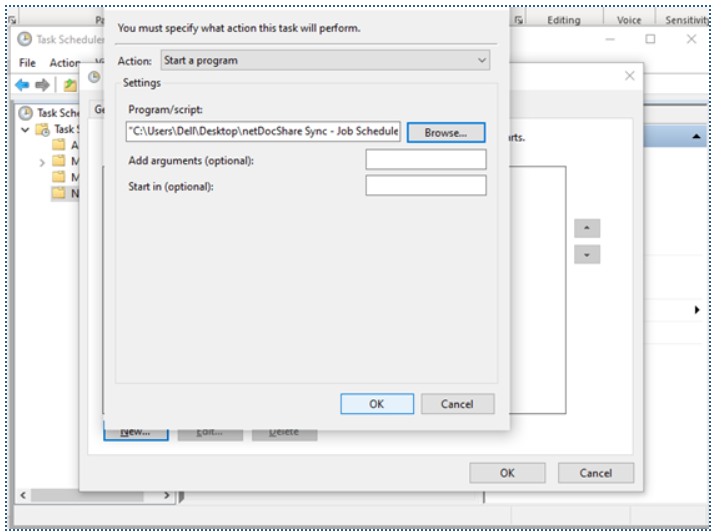
- Click Ok
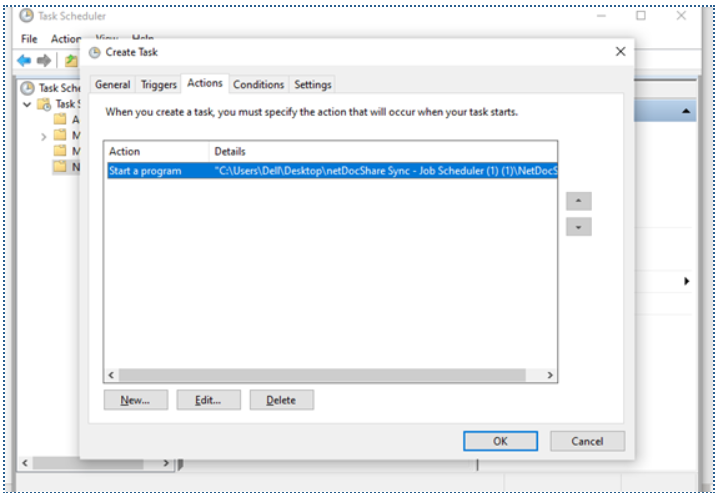
- Select the username and enter the password
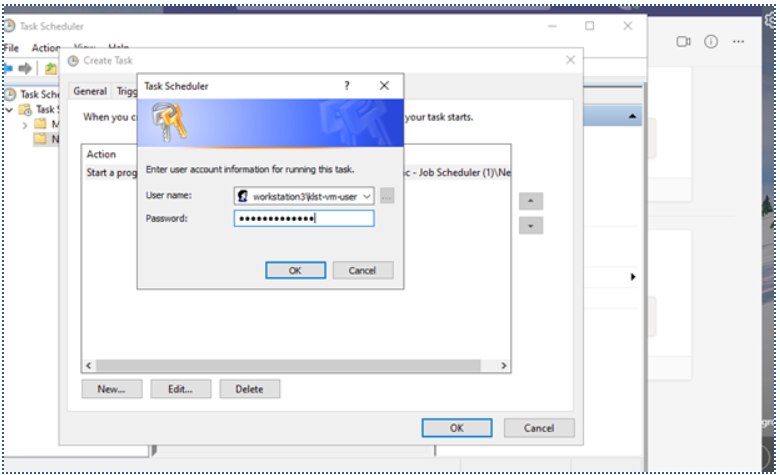
- Click Ok
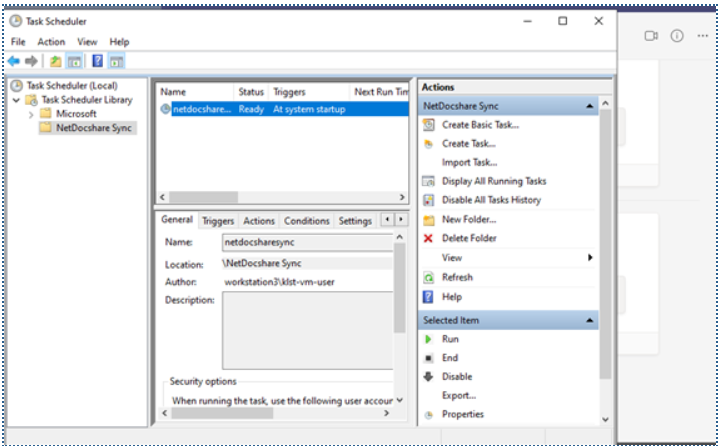
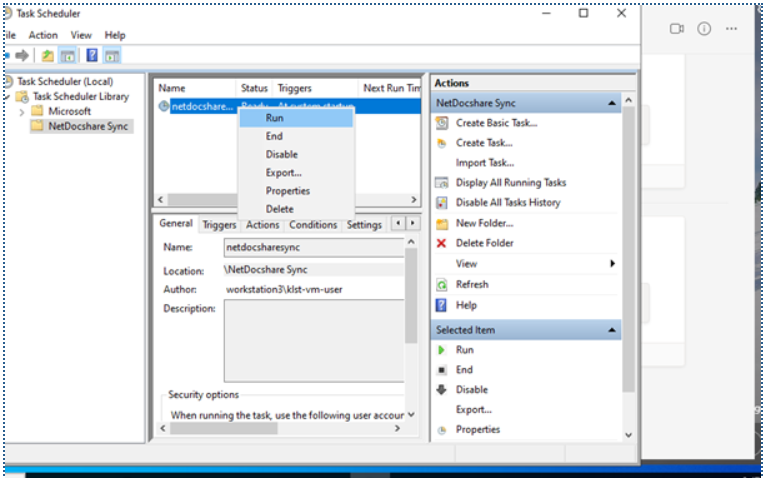
- Select and right click on the Task and Click Run